
Driving module
Travel time tracking software that bills every trip
Travel time is billable work, and it is the first thing that gets forgotten at invoice time. Travel time tracking with the Driving module takes employees seconds: you approve each trip, and approved trips end up on the customer invoice together with the hours worked.
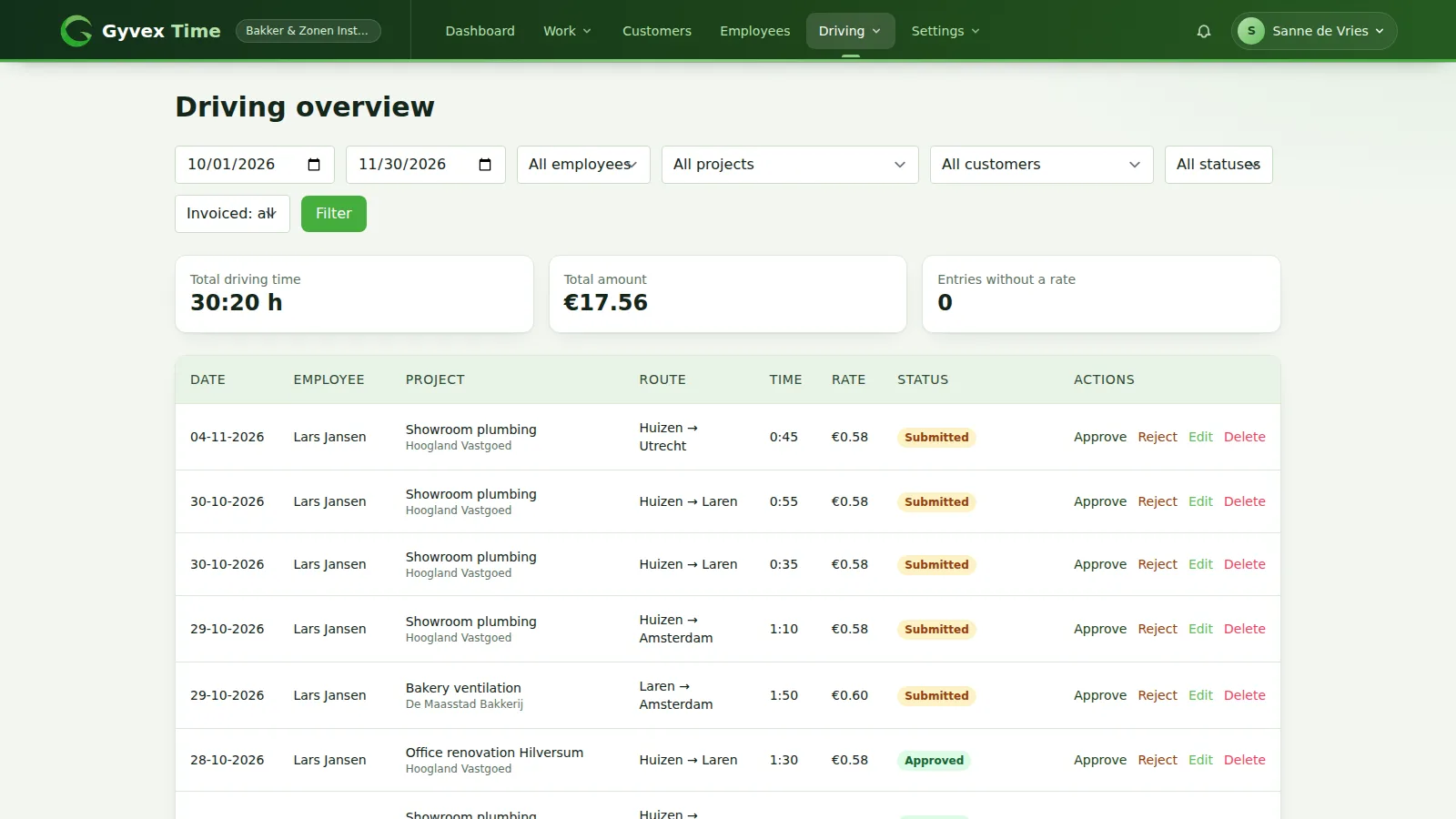
What is included in travel time tracking with Gyvex Time
Built for: Installers, service technicians, consultants and anyone who bills travel time to customers.
Travel time registration for your employees
Employees add a trip from their own dashboard. They see the status of every entry and the total travel time of the period.
- Register date, project, duration, from and to location and a remark
- Duration in hours and minutes, up to 24 hours per entry
- Overview per period with the total travel time
- Every entry shows its status: submitted, approved or rejected
- Employees can correct their trips until you approve them
- A corrected rejected trip goes back to you for review
- Trips that are already on an invoice are locked for everyone
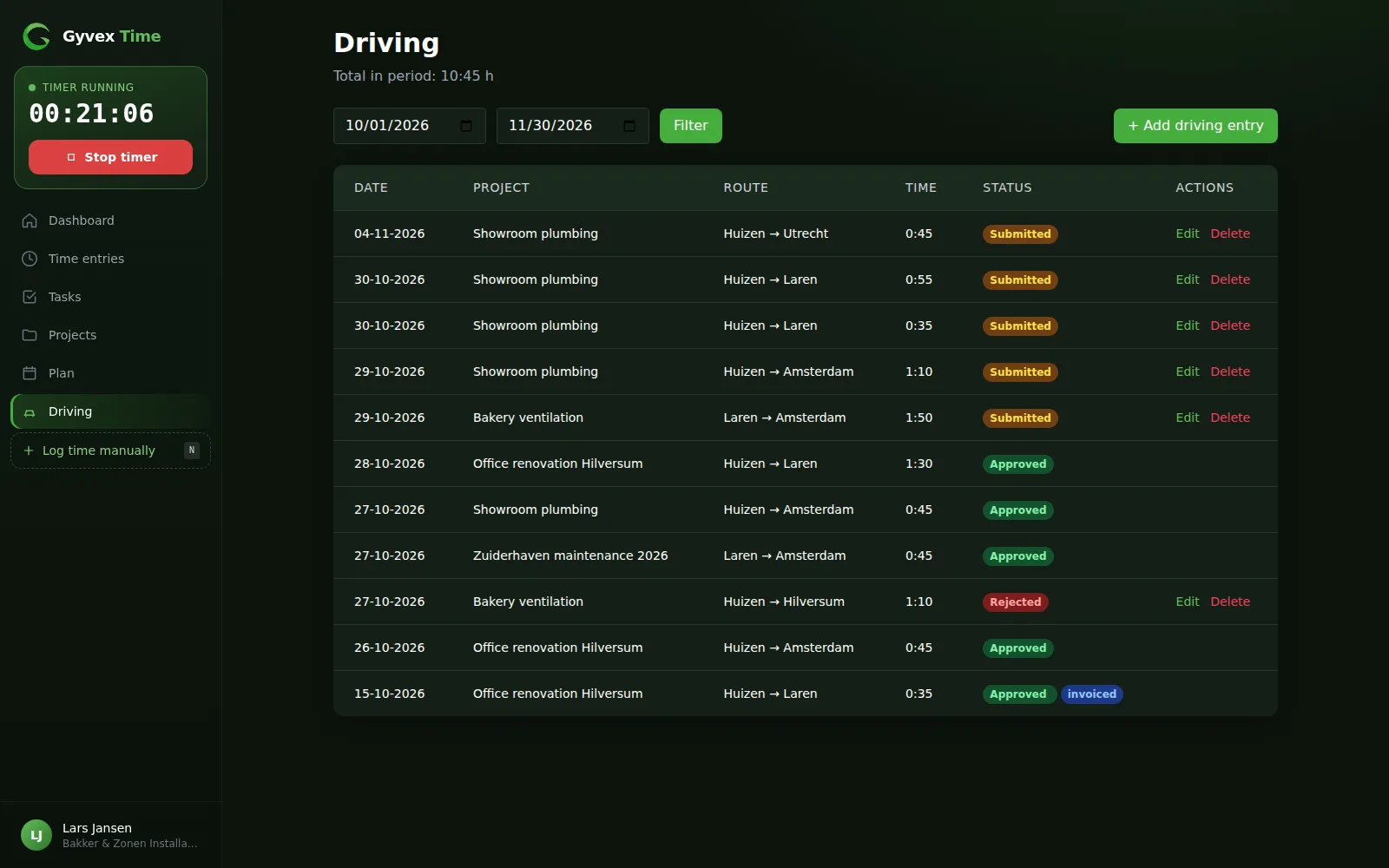
Review and approve billable travel time
See all travel time of your team in one overview and approve or reject trips with one click.
- Filter by period, employee, project, customer, status and invoiced or not
- Totals for travel time and amount for the selected period
- Warning for entries without a rate, so nothing is billed at zero
- Edit or delete entries when something is off
- Approve or reject straight from the list
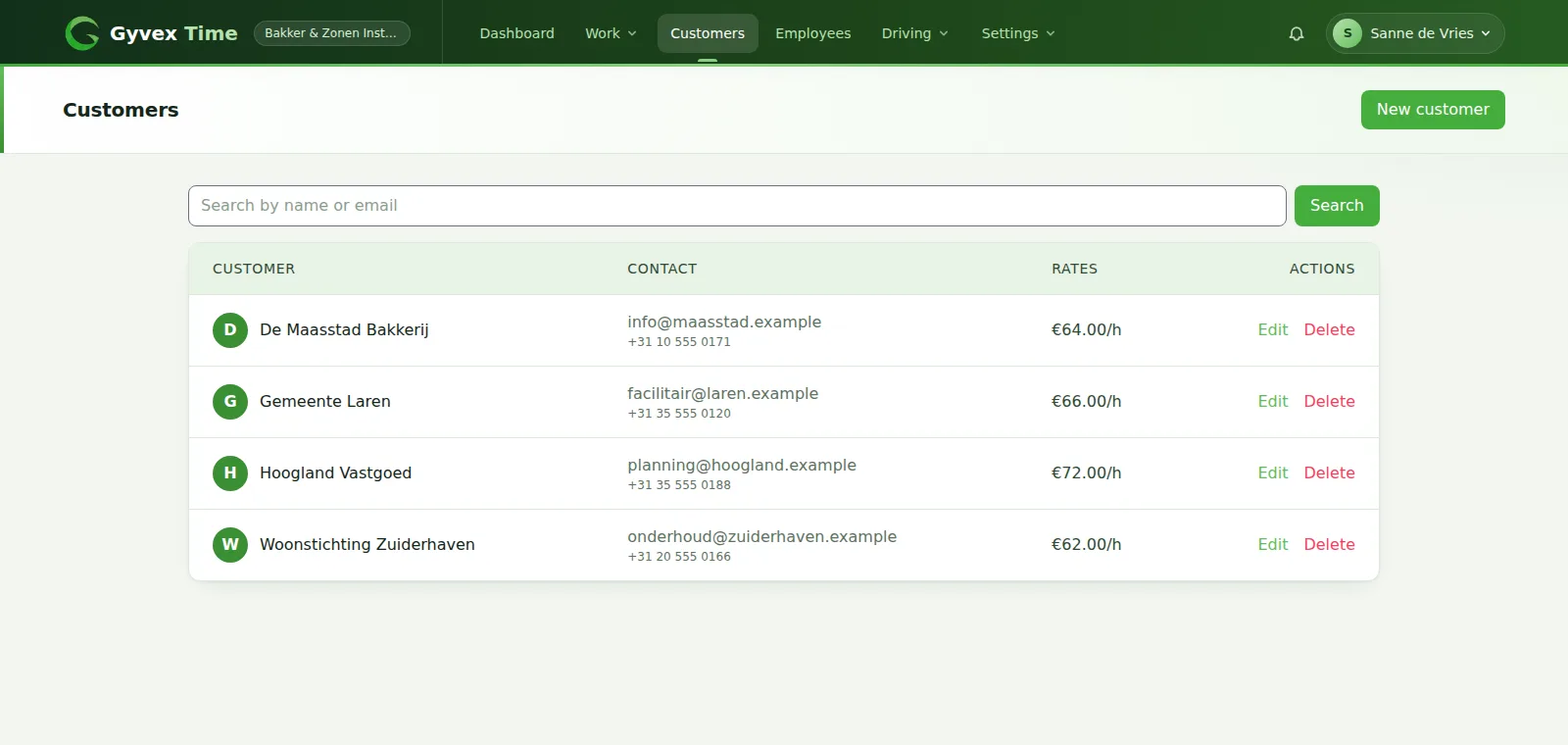
Customers and travel time rates
Store your customers once. Rates are picked automatically, from the most specific to the most general.
- Customers with contact details, VAT number and their own rates
- Default travel rate and default hourly rate per customer
- Rates per service for a customer
- Link projects to a customer and override the rates per project
- Company wide defaults as the last fallback
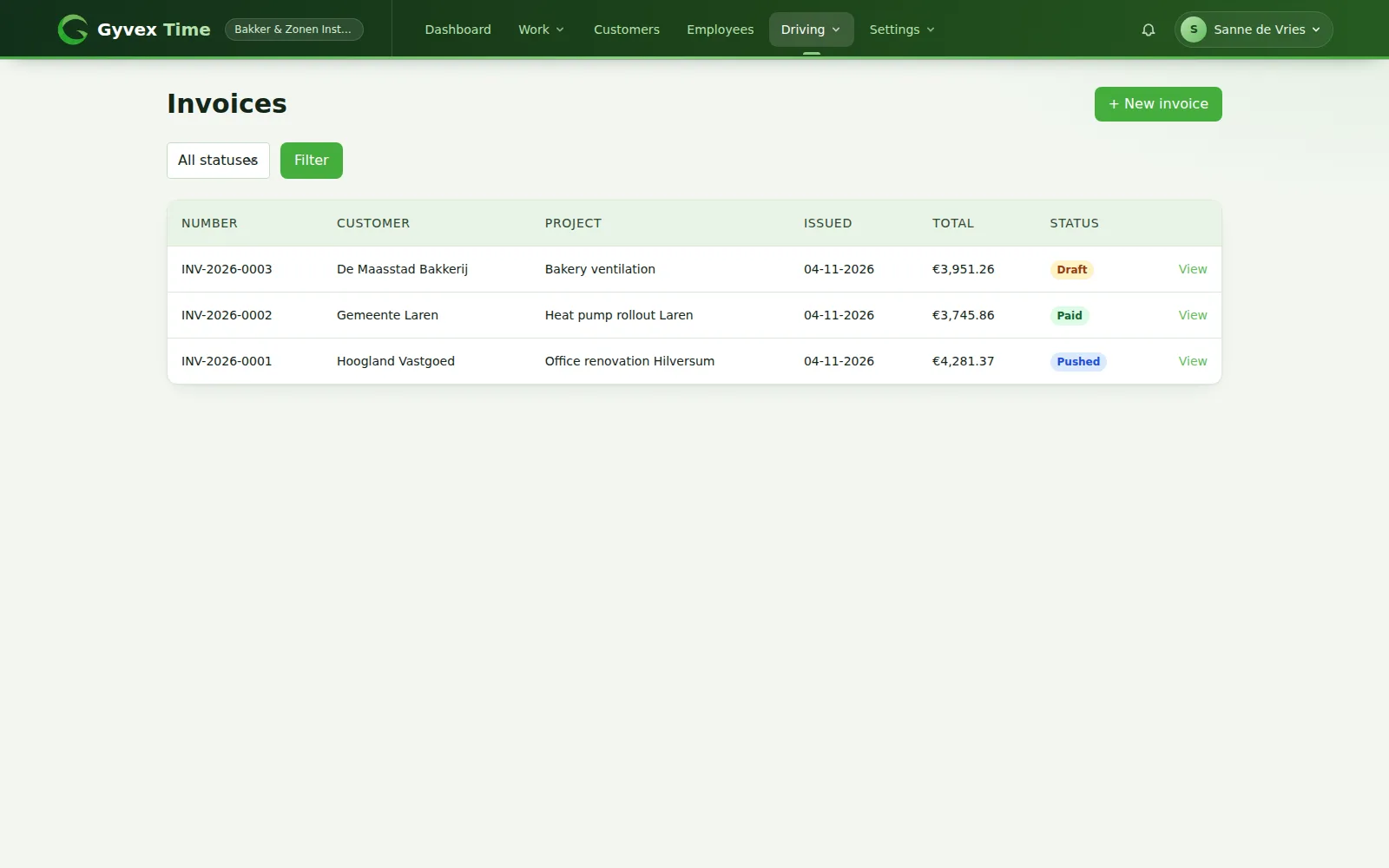
Time tracking and invoicing in one flow
Pick a project, choose the period and turn everything that was approved but not yet billed into a draft invoice: travel time and worked hours together.
- Combines approved travel time and accepted time entries of a project
- An entry can only end up on one invoice
- Automatic invoice numbers with your own prefix
- VAT percentage and payment term set once for the company
- Statuses: draft, pushed, paid or cancelled
- Send a draft to maakeenfactuur.nl as a draft invoice, using your own API token
How Driving works
Employee logs a trip
From the dashboard, in a few clicks.
You approve it
Approve it, or reject it so the employee can correct it.
Create an invoice
Approved travel time and hours of a project become a draft invoice.
Send and follow up
Push it to maakeenfactuur.nl and mark it as paid.
Frequently asked questions
Does Gyvex Time track kilometres or GPS routes?
No. The Driving module registers travel time (hours and minutes) with a from and to location, so you can bill it to the customer. It is not a mileage log for tax or expense claims.
How is travel time billed?
Every trip gets a rate automatically: a rate on the trip itself, the activity, the service, the project, the customer or your company default, whichever is most specific. Trips without a rate are flagged so you never invoice at zero.
Can employees change a trip after they submitted it?
Yes, until you approve it. A rejected trip can be corrected and is then sent back to you for review. Approved trips are locked for employees, and invoiced trips are locked for everyone.
Can I send invoices to my accounting software?
You can send a draft invoice to maakeenfactuur.nl, where it is created as a draft. You connect it with your own API token in the company settings.
Combine it with other modules
Modules are enabled per company, so you only get what you need.
Want to use the Driving module?
Start your free trial, then get in touch and we switch the module on for your company.