
Logging module
Timesheet audit trail: see who changed what, and when
When hours are the basis for payroll and invoices, you need to be able to explain every change. The Logging module keeps a timesheet audit trail automatically, so questions like "who changed this entry?" are answered in seconds.
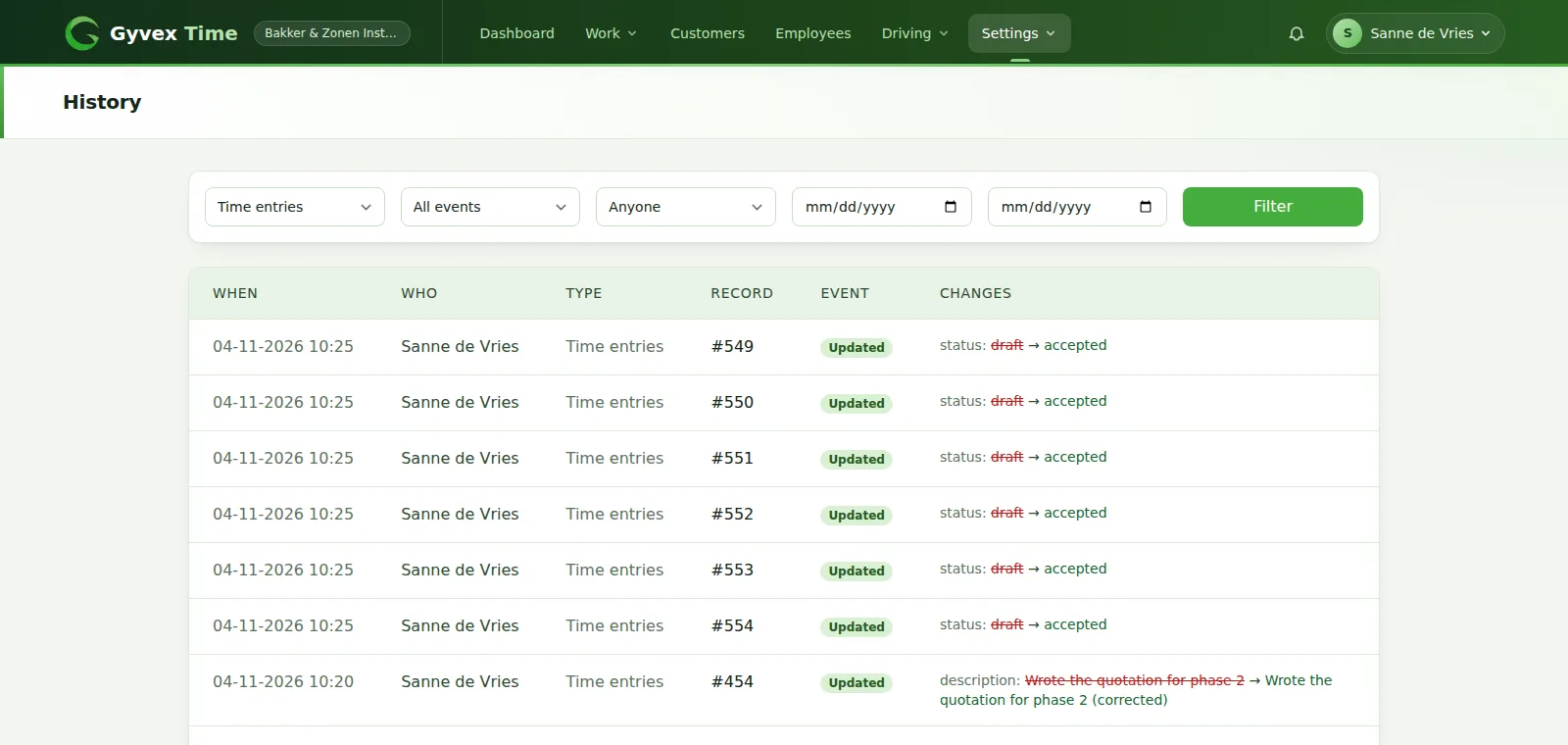
What is included in timesheet audit trail with Gyvex Time
Built for: Companies that need an audit trail for hours, billing and project access.
Every change to a time entry on record
The history shows who made a change, when it happened and exactly which values changed, with the old value next to the new one.
- Time entries: created, updated and deleted
- Projects: changes to a project, such as its budget or dates
- Tasks: new tasks, status changes and removals
- Project access: who got access to a project, and who lost it
- Old and new value side by side for every changed field
- No manual work: logging starts when the module is enabled
Search the audit log
Filter the history to quickly find the one change you are after.
- Filter by type: time entries, change requests, projects or tasks
- Filter by event: created, updated, deleted, access granted or revoked
- Filter by the person who made the change
- Filter by period
- Paginated overview, newest changes first
Change requests are traceable too
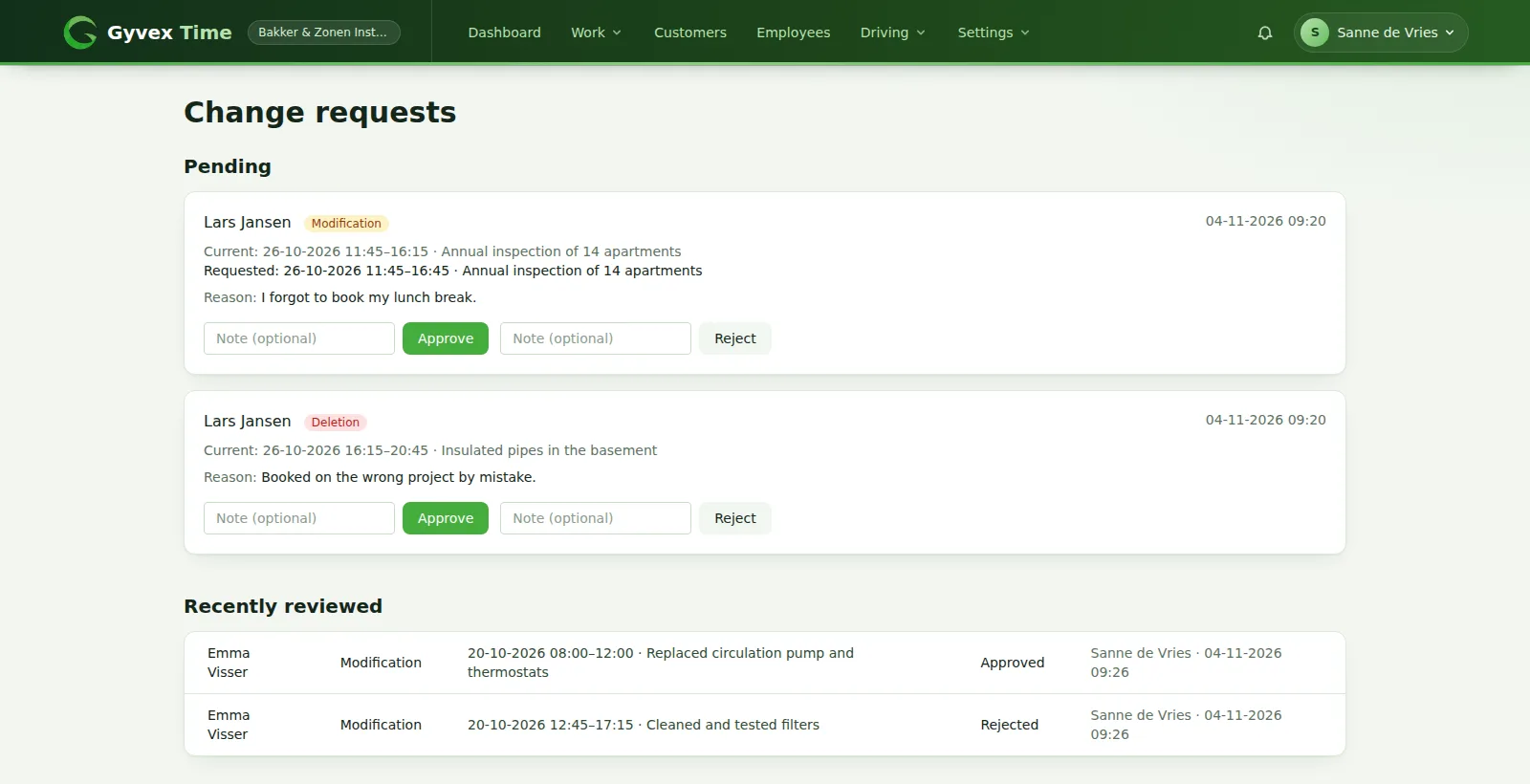
When approved hours are locked, employees ask you to change or delete an entry. Both the request and your decision end up in the history.
- Employees give a reason with every request
- You see the current values next to the requested values
- Approve or reject with an optional note
- An approved request is applied as a normal, logged change
How Logging works
Enable the module
Logging starts from that moment on.
Work as usual
Changes are recorded in the background.
Open the history
Under Settings, History.
Filter and trace
Find the change, the person and the moment.
Frequently asked questions
What does the audit trail record?
Changes to time entries, time entry change requests, projects and tasks, plus who was given or lost access to a project.
Does it show the old and the new value?
Yes. For every updated field the history shows the previous value next to the new one, together with the person and the moment of the change.
Are changes from before I enabled the module recorded?
No. Logging starts when the module is enabled for your company, so earlier changes are not available.
Who can see the history?
Admins of your company. Employees do not have access to the history.
Combine it with other modules
Modules are enabled per company, so you only get what you need.
Want to use the Logging module?
Start your free trial, then get in touch and we switch the module on for your company.