
Planning module
Employee scheduling software for your weekly planning
Know who is working on which project tomorrow and next week. The Planning module is employee scheduling software for project based teams: a simple work schedule planner for you, and a weekly overview for every employee.
What is included in employee scheduling software with Gyvex Time
Built for: Teams that work on different projects and locations every day.
Schedule your team on projects
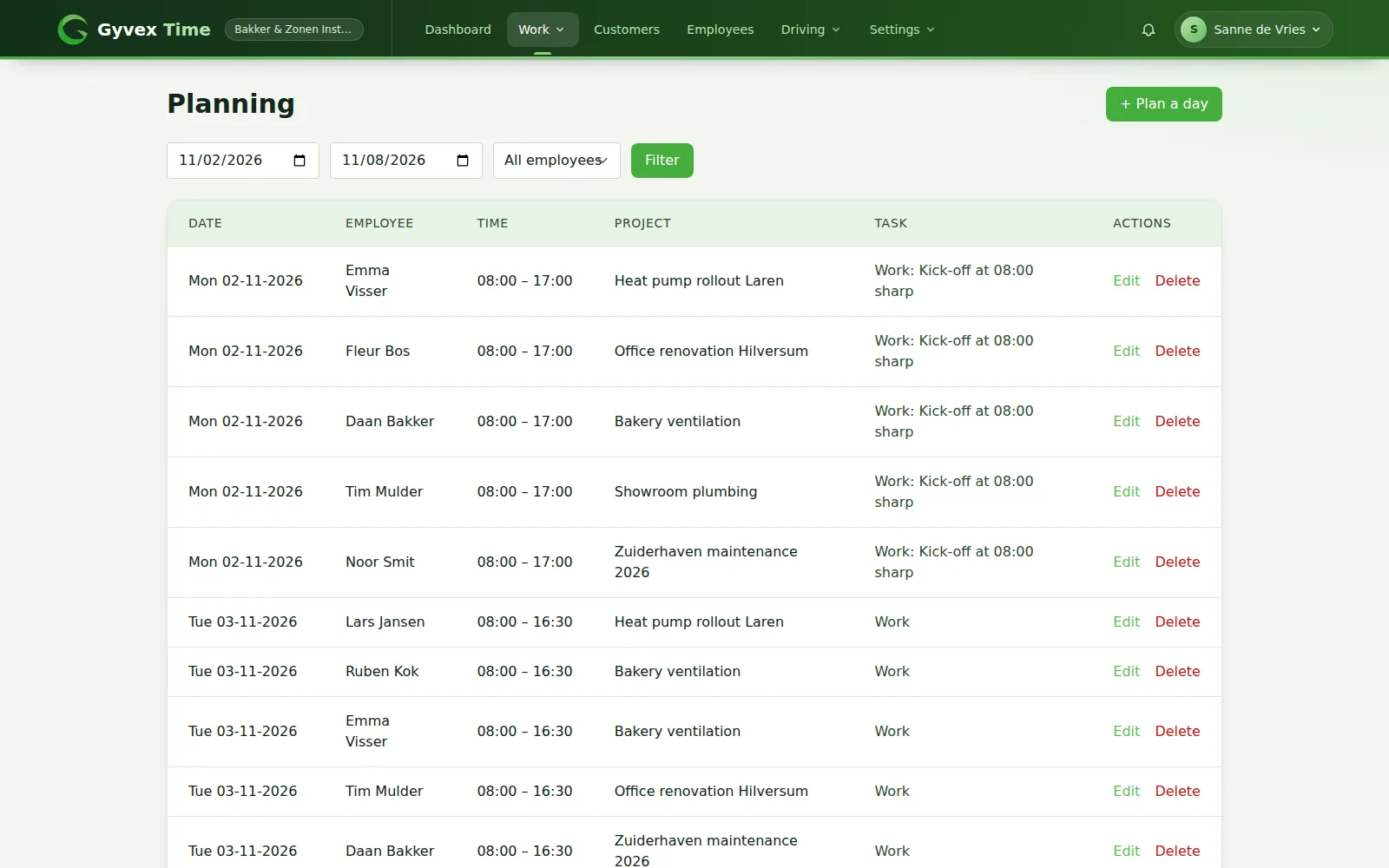
Plan a day for one or more employees at once, straight from the planner or from the time entry calendar.
- Plan one or several employees in a single action
- Choose date, start and end time, project and activity
- Add a remark, for instance a meeting point
- The start and end time default to your company working hours
- Week overview with filters for period and employee
- Edit or remove a plan entry at any time
- Quick access with the Plan a day button in the time entry calendar
A weekly schedule for every employee
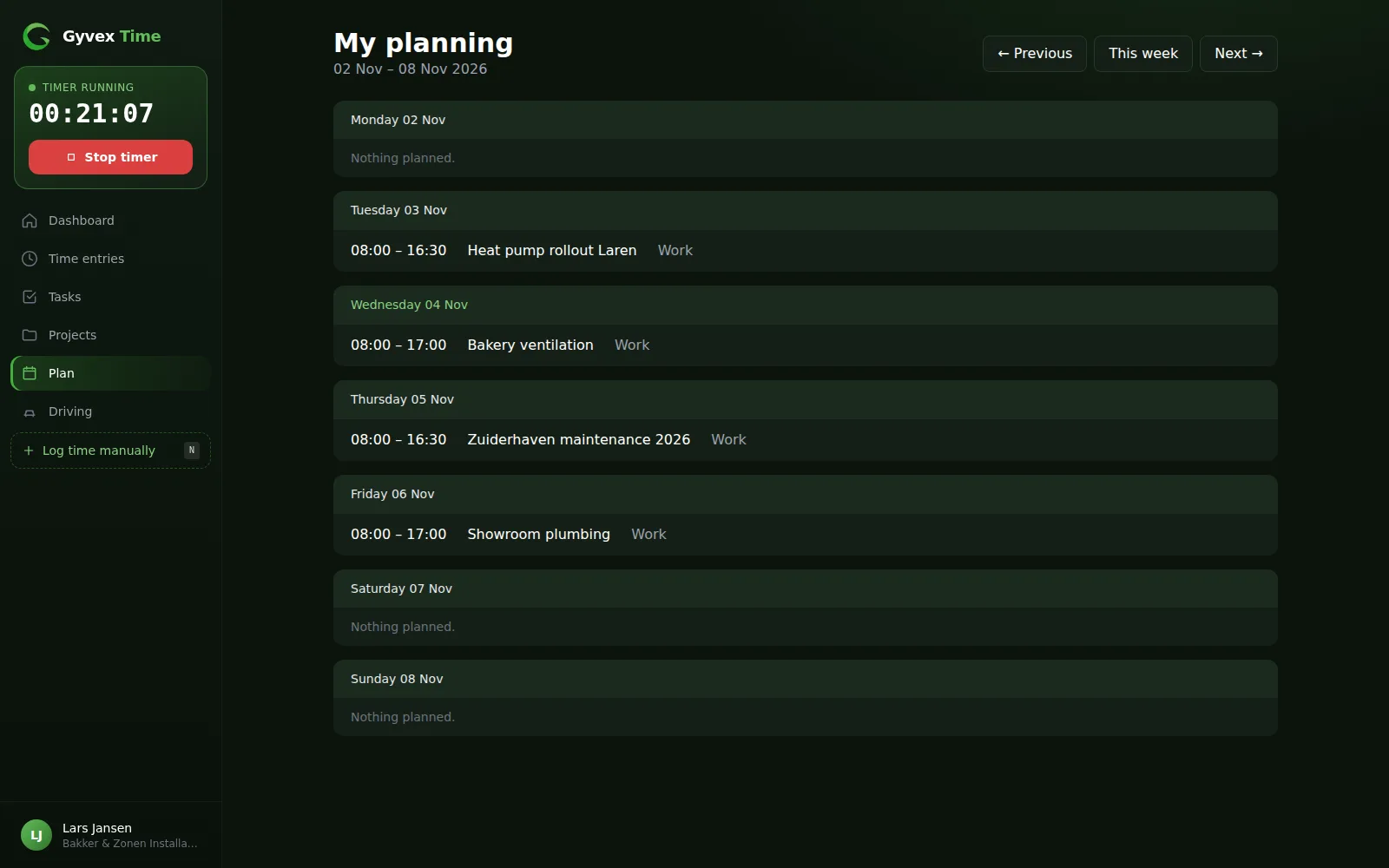
Employees open My planning and see what is expected of them, day by day.
- Seven days at a glance with time, project and activity
- Browse to the previous and next week
- Days without planning are clearly marked
Scheduling only, or scheduling with hour entry
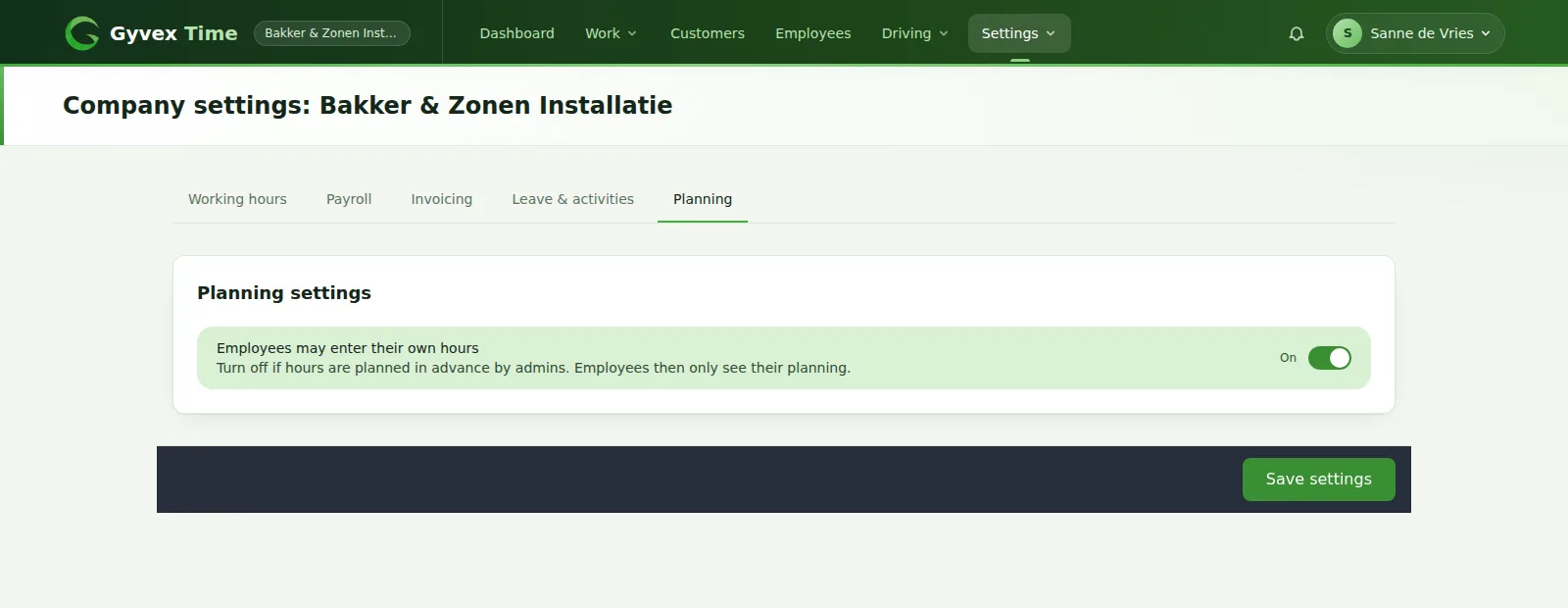
Some companies want the office to be in control. Decide whether employees may enter their own hours.
- Setting to allow or block hour entry by employees
- With hour entry blocked, employees can still read their own schedule
- The timer and manual entry are switched off for them
- Admins keep full control over registered time
How Planning works
Enable the module
Planning appears in the menu for admins and employees.
Plan the week
Add plan entries per employee or for a whole group.
Employees check My planning
Everyone knows where to be.
Compare with registered hours
Use the time entry calendar to see what actually happened.
Frequently asked questions
Can I schedule several employees at once?
Yes. Select as many employees as you need when you plan a day, and the same plan entry is created for each of them.
How do employees see their schedule?
Every employee has a My planning page with the current week, and can browse to the previous and next week.
Can I stop employees from entering their own hours?
Yes. A company setting turns hour entry off for employees. They then only see their planning, while you keep full control over registered time.
Does it handle shift swaps or availability?
No. Planning is a straightforward planner that puts employees on projects and activities. It does not include shift swaps or availability requests.
Combine it with other modules
Modules are enabled per company, so you only get what you need.
Want to use the Planning module?
Start your free trial, then get in touch and we switch the module on for your company.