

Time Tracking Made Simple for Your Business
Employee time registration, project budgets, approvals and payroll-ready exports in one web app.
Everything You Need to Track Time Effectively
Register hours, review them and turn approved time into costs and exports.
Time registration
Employees log their hours with a live timer or by entering times manually.
- Start and stop a timer, or enter from and till times
- Automatic break deduction based on company rules
- Overlapping entries are detected and blocked
- Attach files to an entry
- Optionally store the location of an entry
Team calendar
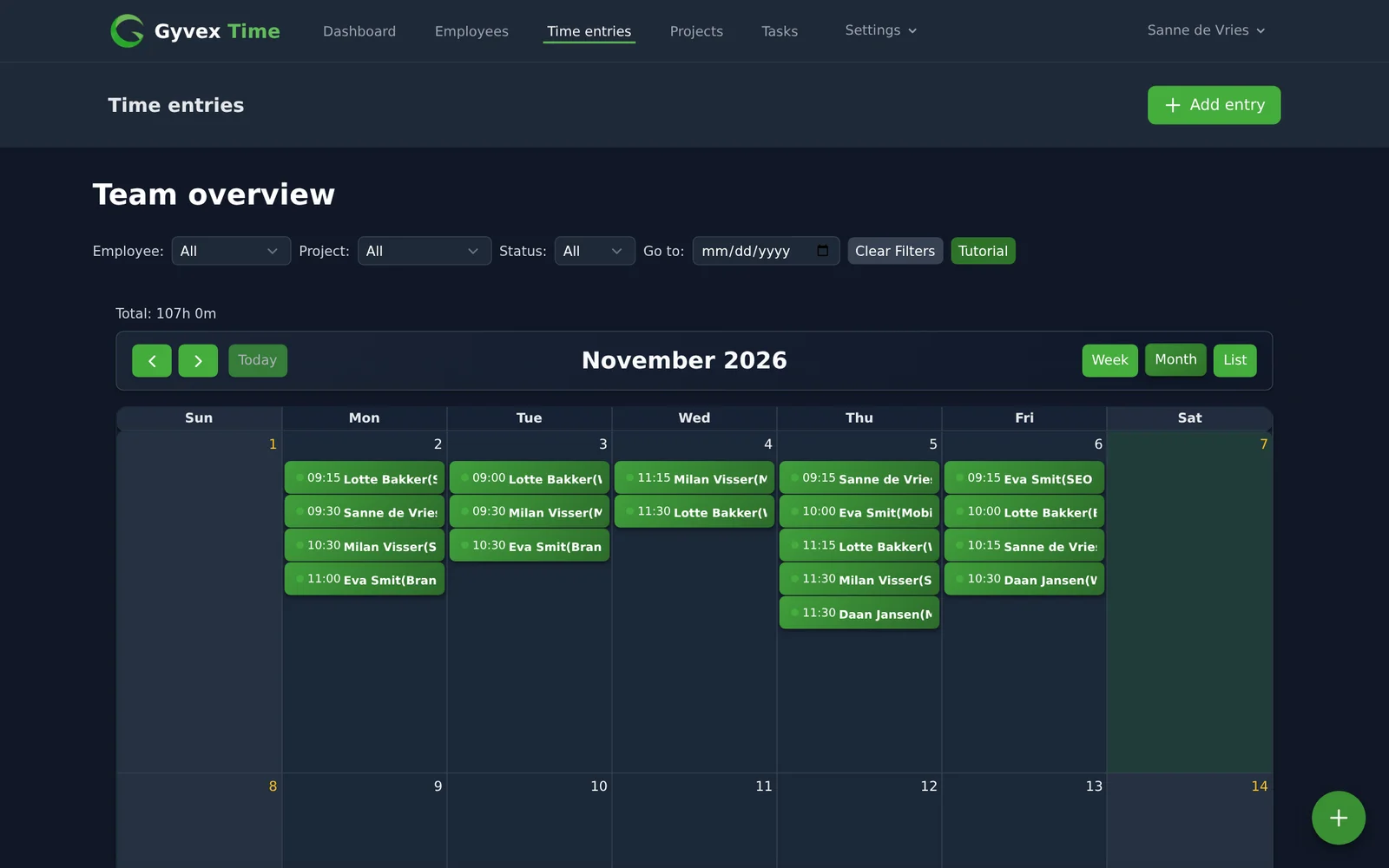
Managers see all registered hours in one calendar.
- Week, month and list views
- Drag and drop entries to move them
- Filter by employee, project or status
- Add entries straight from the calendar
Approval workflow
Every entry follows a clear status from draft to paid.
- Approve or reject entries
- Mark approved entries as paid
- Employees can filter their own week by status
Projects and budgets
Keep an eye on what each project costs.
- Budget, start date and end date per project
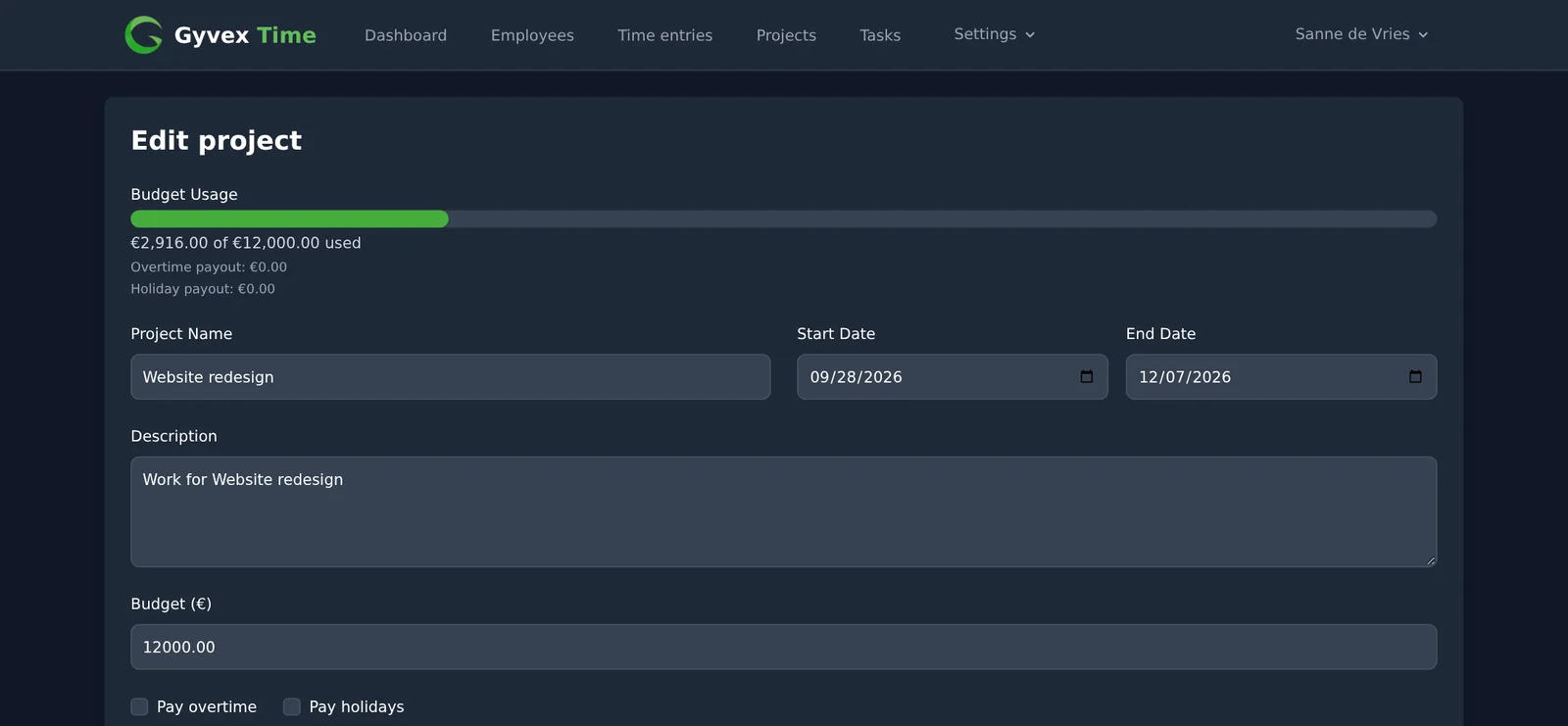
- Budget usage and days remaining at a glance
- Email alert to the project admin when the remaining budget gets low
- Choose per project whether overtime and holiday hours are paid
Tasks
Assign work and follow its progress.
- Create tasks with a due date and assign them to employees
- Employees update the status: pending, in progress or completed
Payroll rules and exports
Turn approved hours into payroll-ready data. Included in the Professional plan.
- Overtime in two tiers with configurable multipliers
- Holiday hours with their own multiplier
- Export approved entries to CSV or XLSX
- Custom export templates with your own column mapping
- Filter exports by period, project or employee
Dashboards and reports
Understand where the hours go.
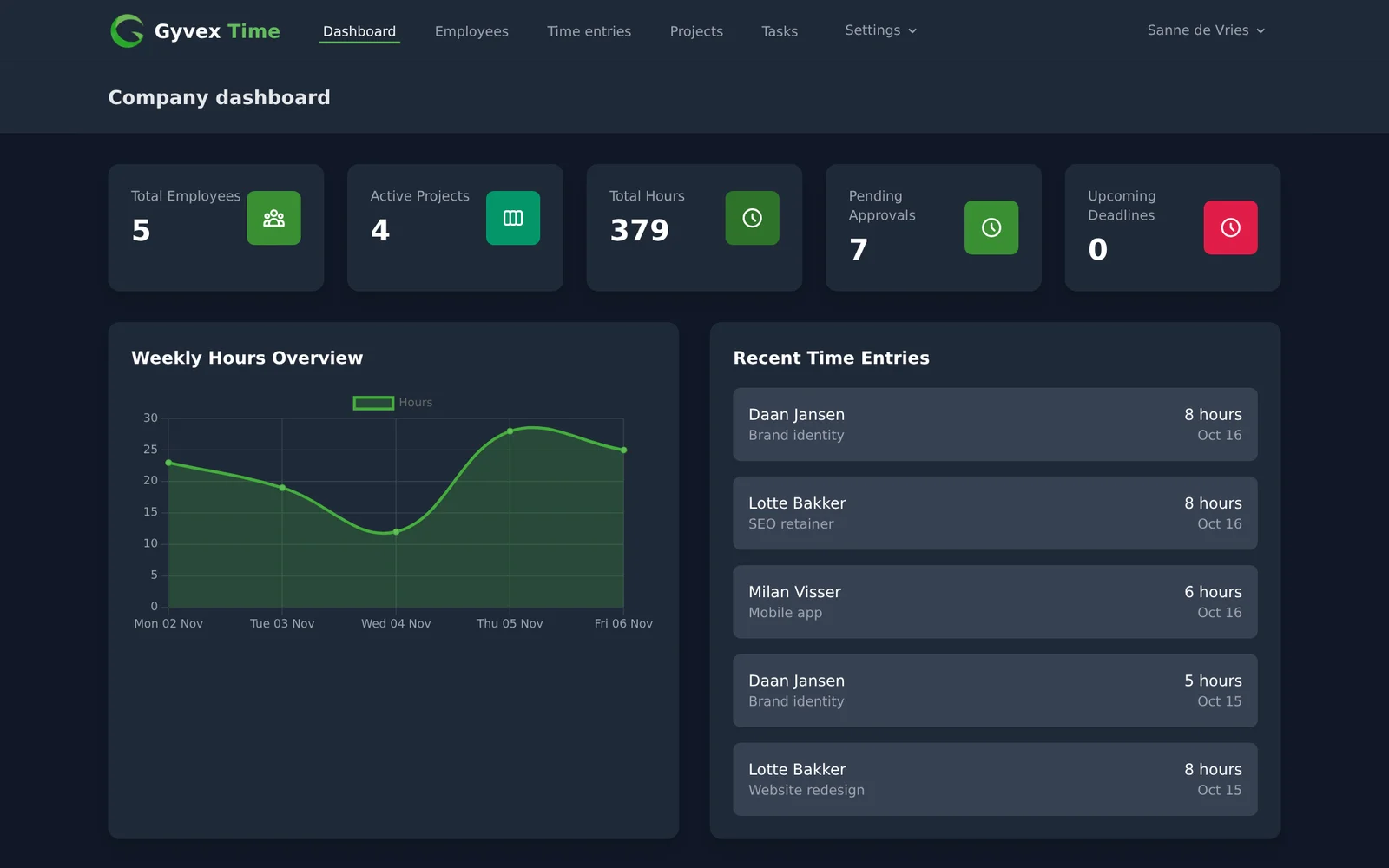
- Dashboard with employees, active projects, total hours, pending approvals and upcoming deadlines
- Weekly hours and project hours charts
- Hours and cost totals per project and per employee for any period (Professional plan)
Manage Your Team and Company
Set up your company once and let the rules apply to every entry.
Employees and roles
Invite your team and decide who can do what.
- Invite employees by email with an hourly rate
- Roles: admin, employee and account manager
- Import employees from an Excel file
- Account managers can switch to an employee account to help with support
Company settings
Configure how time is registered for your company.
- Standard working hours
- Automatic breaks with start time, end time and duration
- Paid or unpaid breaks
- Default activities for breaks, leave and travel
- Payroll multipliers for overtime and holidays
Support tickets
Ask for help without leaving the app.
- Send support requests from inside the app
Take a look inside
Real screens from Gyvex Time, filled with demo data.
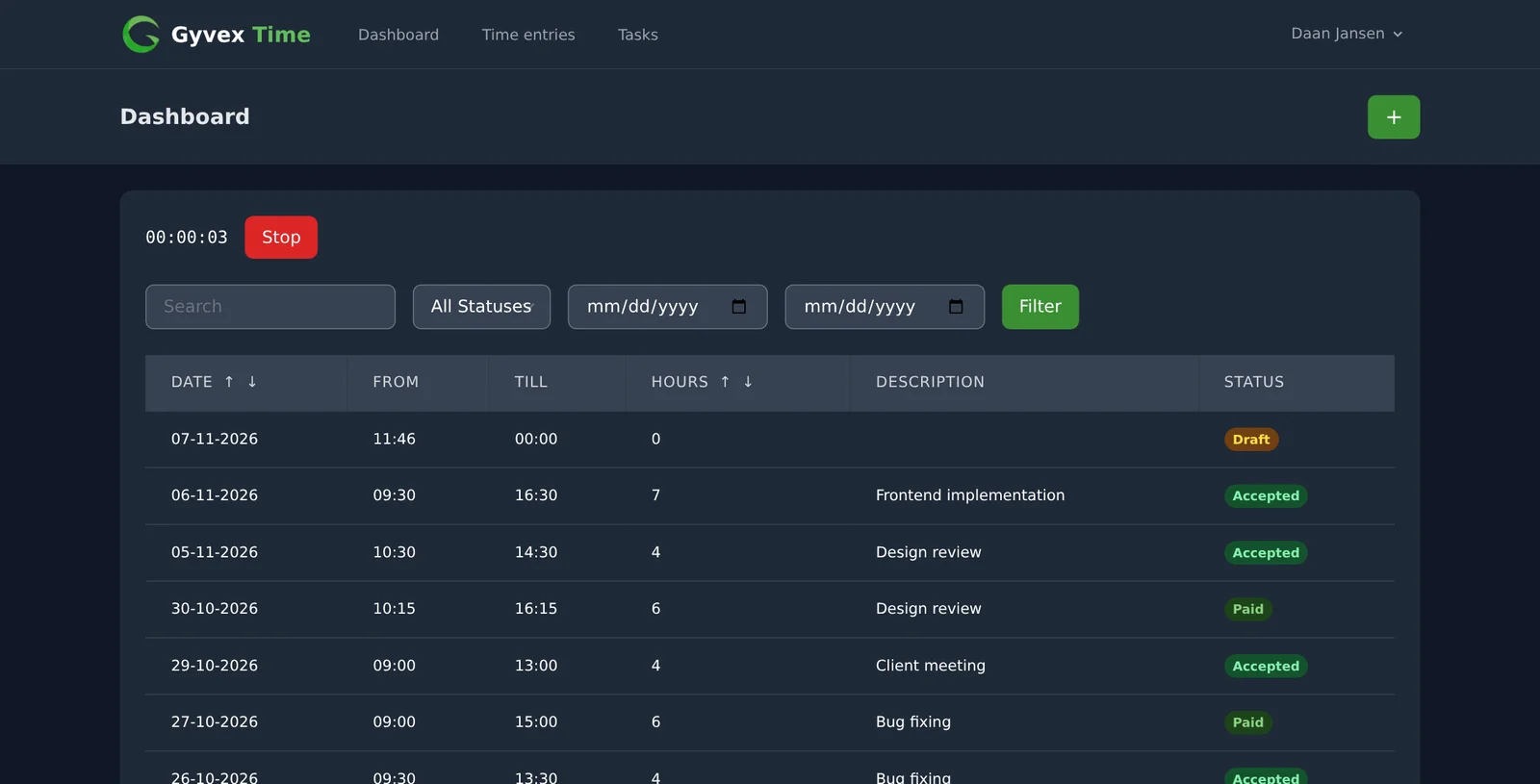
Register time with a live timer
Employees start and stop a timer from their dashboard and see every entry with its status, from draft to paid.
See the whole team in one calendar
Managers get a week, month and list view of all registered hours, with filters for employee, project and status.
Keep projects within budget
Each project shows how much of its budget is used, and you decide per project whether overtime and holiday hours are paid.
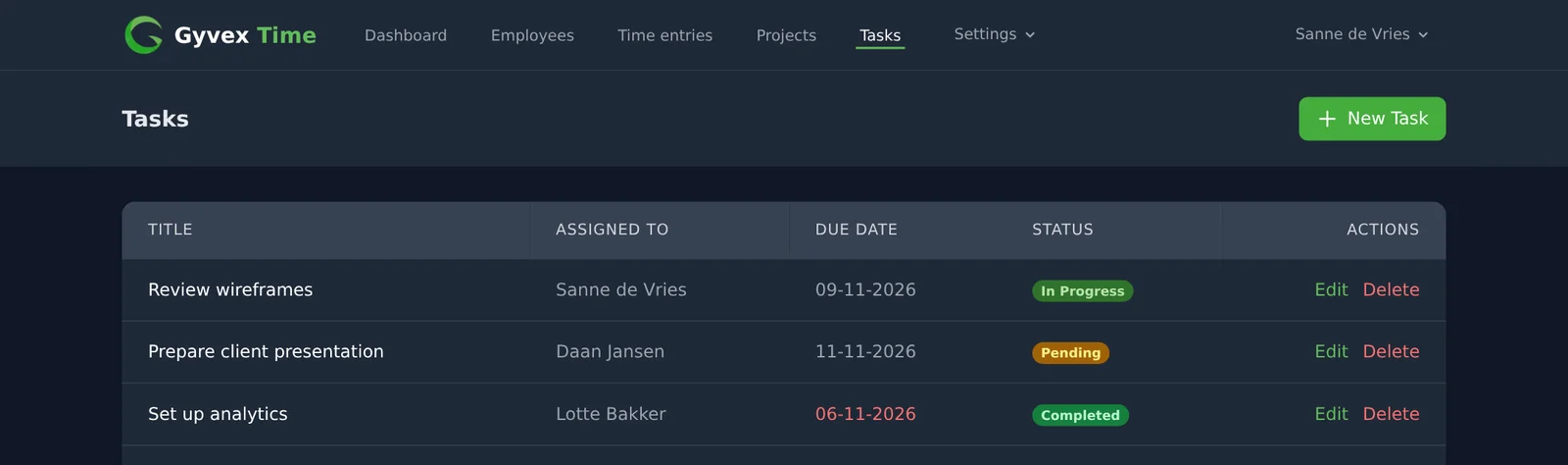
Assign tasks with a due date
Create tasks, assign them to employees and follow their status from pending to completed.
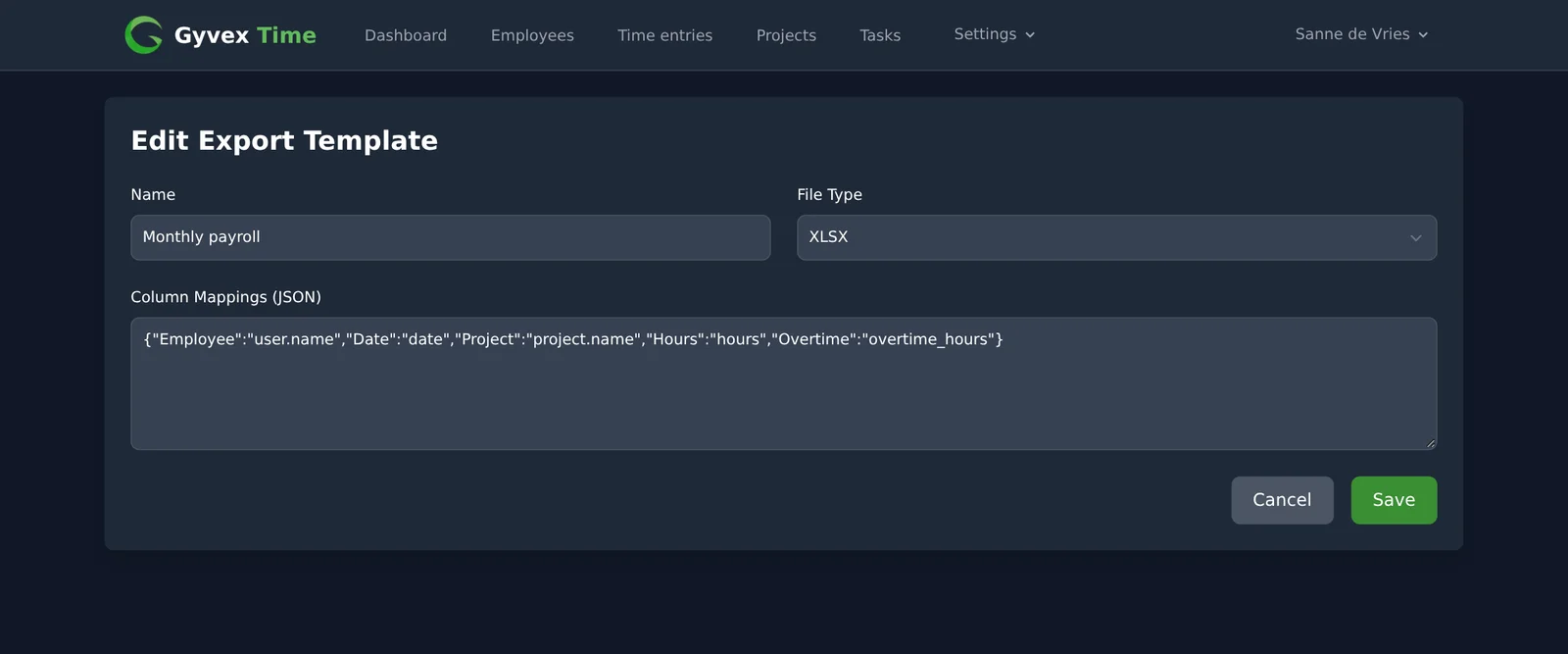
Export payroll data your way
Map the columns of your export template to time entry fields and download approved hours as CSV or XLSX. Included in the Professional plan.
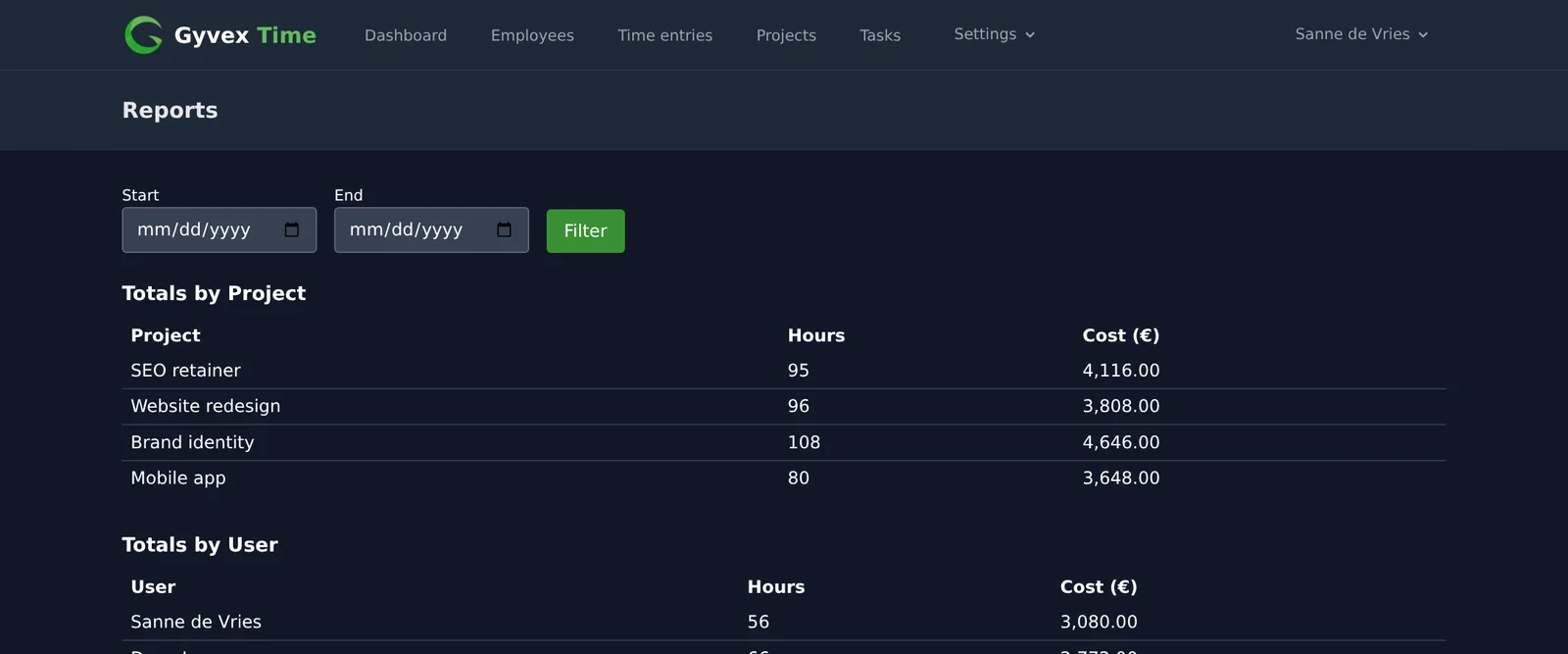
Know what each project and employee costs
Hours and costs per project and per employee for any period. Included in the Professional plan.
Connect with the public API
Read and write your data from your own tools with a REST API.
View API documentation- Personal access tokens, generated from your profile
- Endpoints for time entries, projects, services and materials
- Create, read, update and delete over JSON
- Register materials used on a time entry
How Gyvex Time Works
From first login to payroll export in four steps
Set up your company
Choose your working hours, breaks and payroll rules.
Invite your team
Add employees with a role and an hourly rate, or import them from Excel.
Create projects
Add projects with a budget and a time frame.
Track, approve, export
Employees register hours, you approve them and export the result.
Simple, Transparent Pricing
Pay only for what you need with our flexible pricing plans
Starter
Perfect for small teams getting started
- Up to 10 users
- Basic time tracking
- Project tracking
- Basic reporting
Professional
Best for growing businesses
- Unlimited users
- Advanced time tracking
- Project budgeting
- Advanced reporting
- Payroll integration
Enterprise
For large organizations with complex needs
- All Professional features
- Dedicated account manager
- Custom integrations
- Priority support
- On-premise deployment
All plans come with a 14-day free trial. No credit card required.
Ready to Transform Your Time Tracking?
Try Gyvex Time and get accurate time registration, approvals and payroll exports in one place.